
Six screens. One job.
VialBook does one thing well: it makes logging a dose take two taps, and keeps everything else out of the way.
Your next dose, big.
Today shows what is due now. Tap Log shot and the dose is prefilled from last time, with a suggested site. That is the whole daily job: two taps.
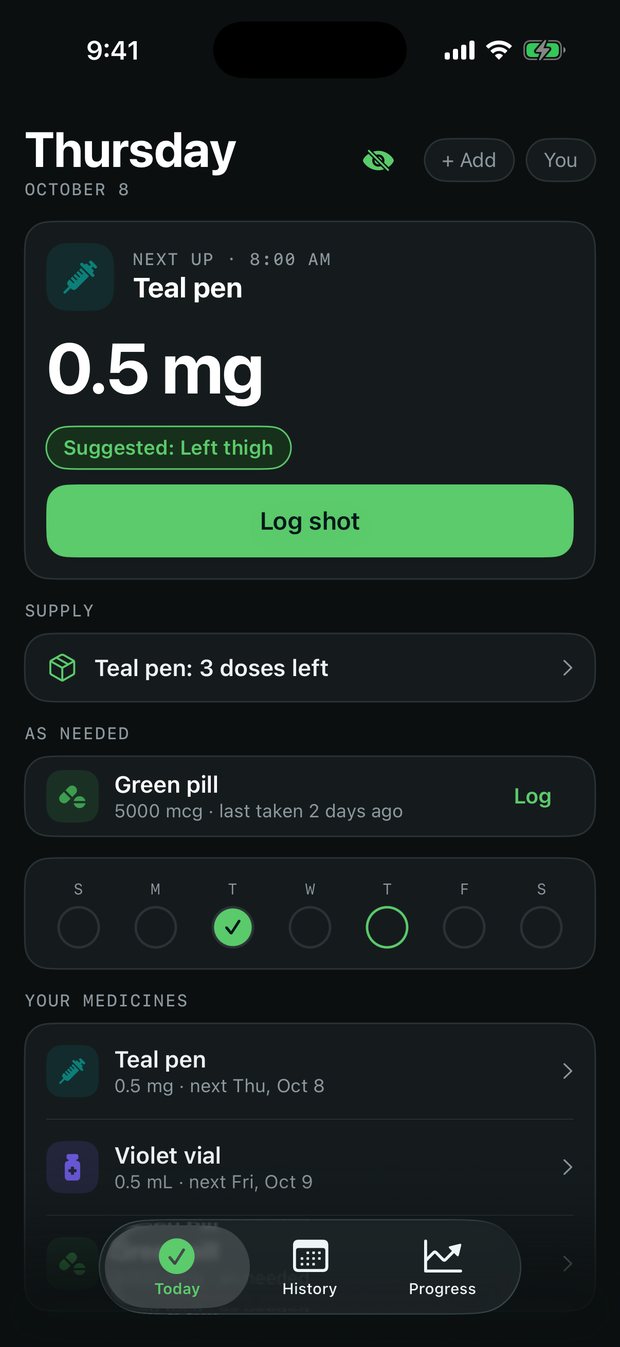
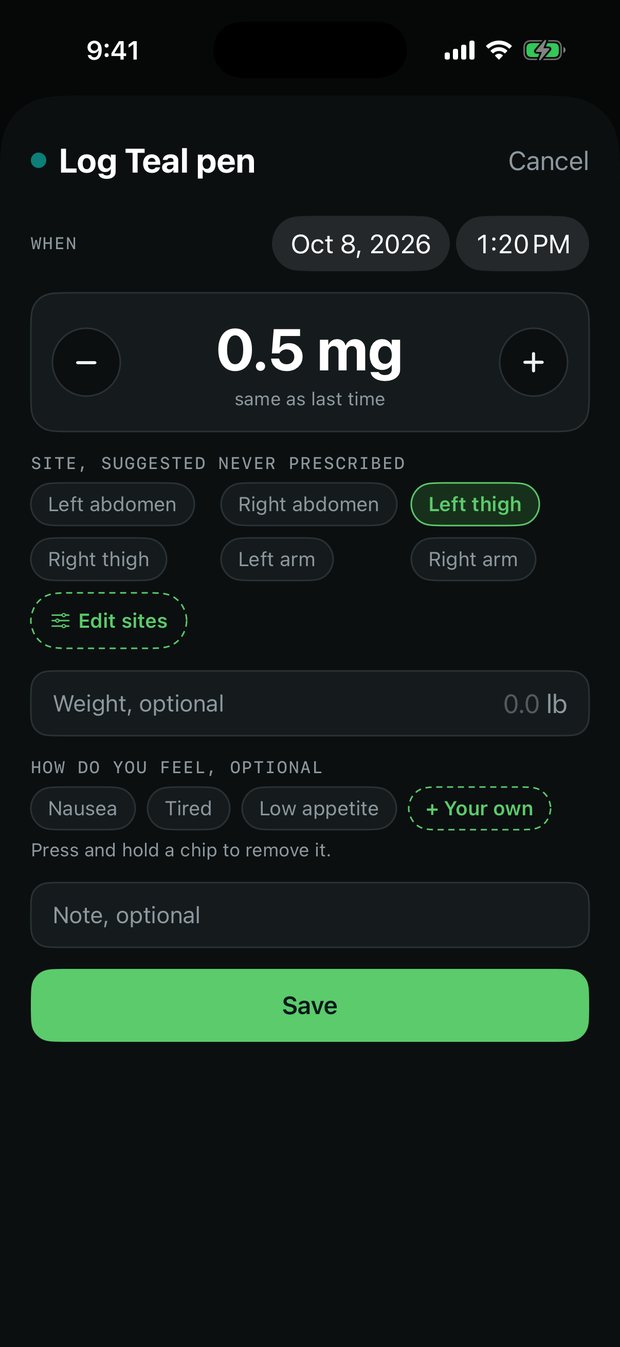
Backdate or adjust in a moment.
Change the dose with the stepper, pick a different site, add weight or a note, or log a past day. Everything beyond the dose is optional.
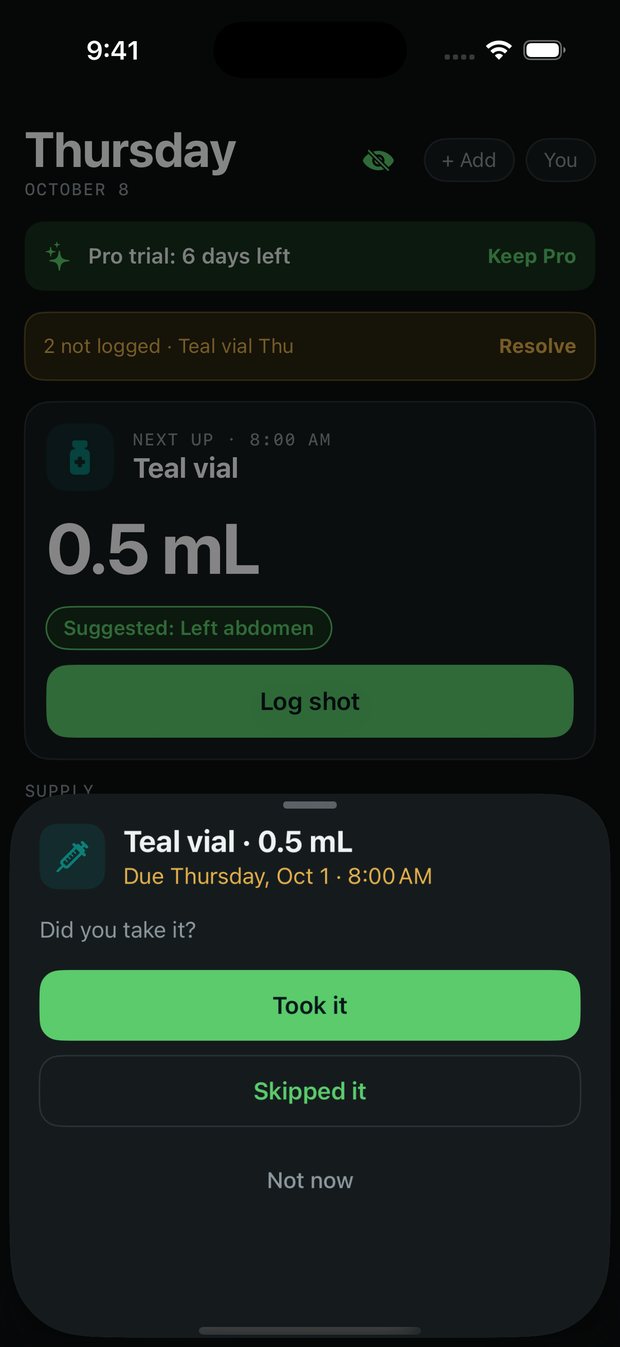
Amber, with a Resolve button.
If a dose slipped, it turns amber and asks if you took it. Mark it taken, skipped, or deal with several at once. No streaks, no guilt.
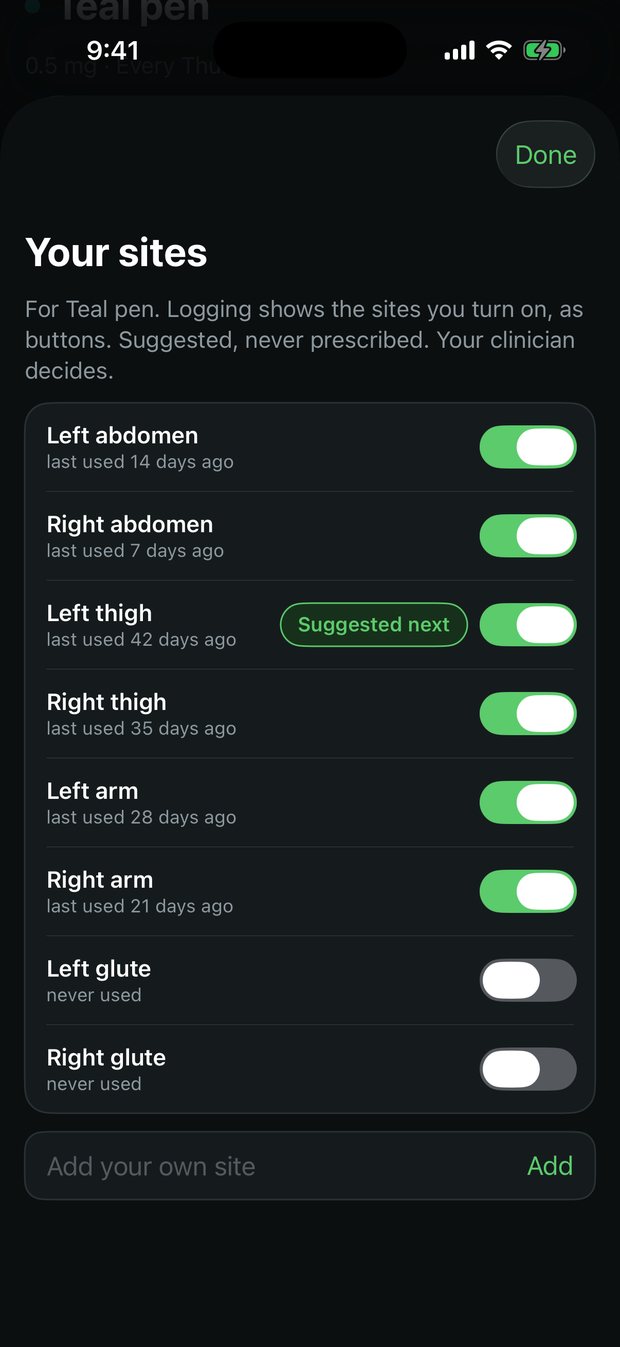
A simple site log.
See which sites you used and when. VialBook suggests the one used least recently. It is a suggestion from your own history, never a prescription.
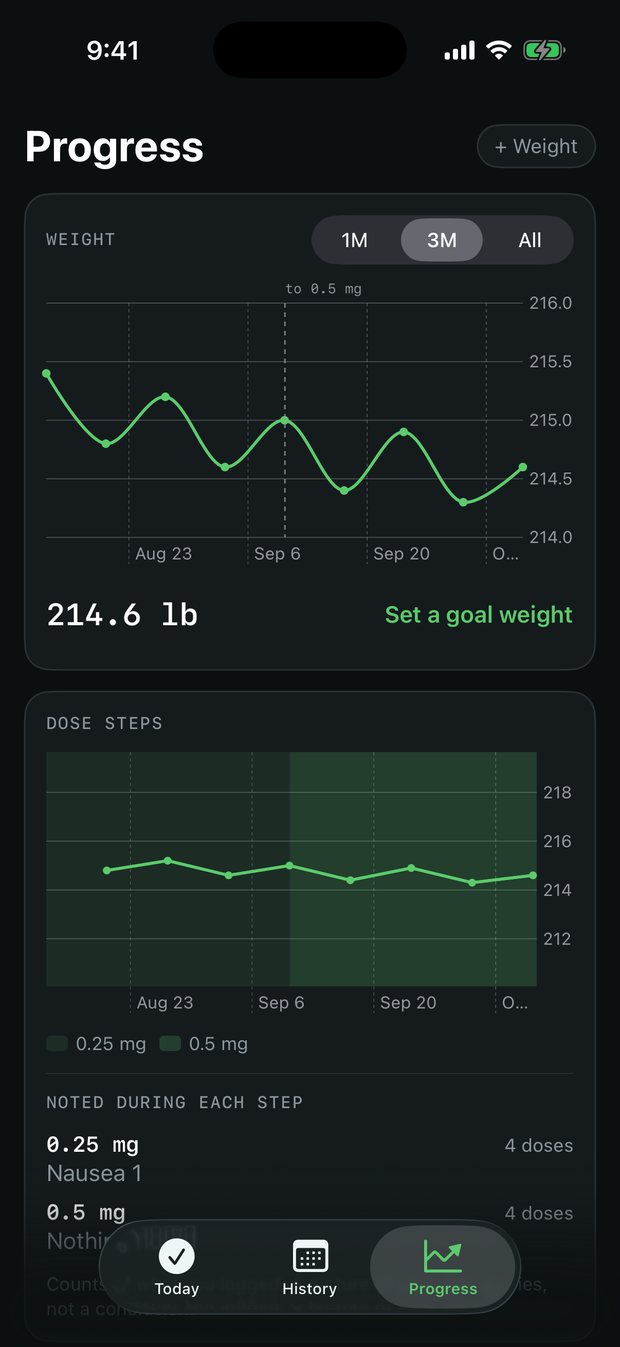
Weight with dose changes marked.
Weight belongs to a date. Each dose change shows on the chart so you and your doctor can see the story in one glance.
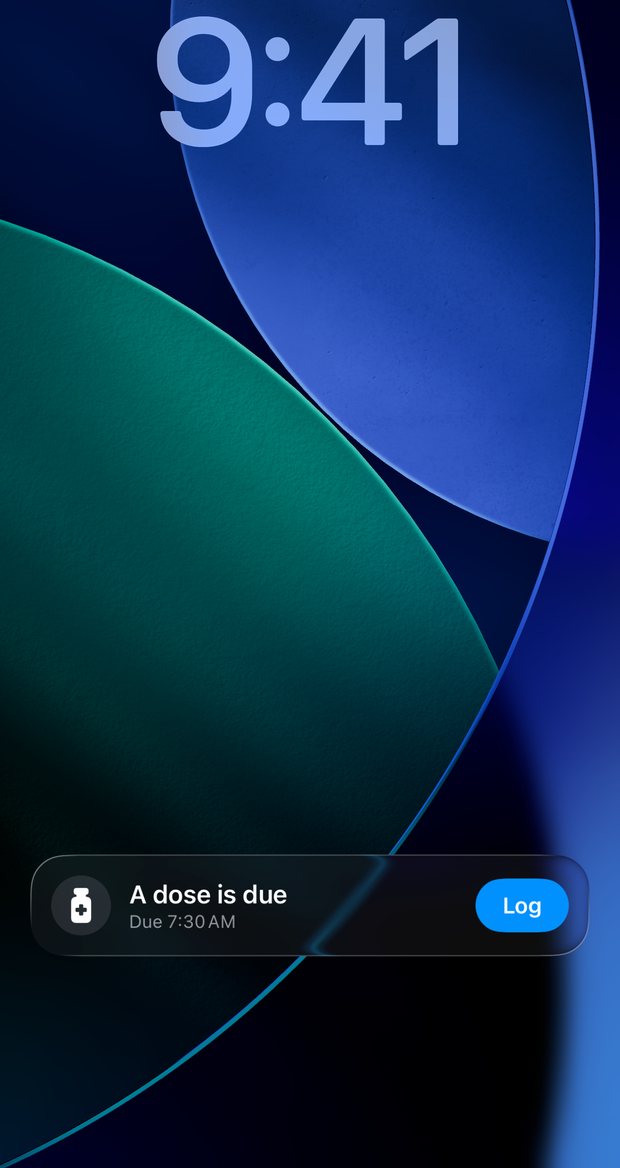
Hide the name. Keep the data home.
Hide names swaps the medicine name for a neutral label, including on reminders and the Lock Screen. Nothing is sent anywhere.
VialBook is a tracking tool, not medical advice. It never suggests a dose. Talk to your doctor about your treatment.